


Table of Contents
OpenAI has unveiled ChatGPT 5, its most advanced model to date, marking a significant leap in artificial intelligence for software development.
Designed as a unified system with improved reasoning abilities, GPT-5 delivers superior performance in coding, writing, mathematics, visual interpretation, and more.
Its refined coding capabilities, faster response times, and enhanced integration with developer tools make it an indispensable assistant for programmers seeking efficiency and precision.
This article explores practical tips and tricks for using ChatGPT 5 to accelerate development workflows.
What Makes ChatGPT 5 a Game-Changer for Coding?

ChatGPT 5 sets a new standard for AI-assisted programming by combining an advanced reasoning engine with speed, accuracy, and adaptability.
This makes it more than just a code generator it functions as an intelligent coding partner capable of assisting throughout the entire software development lifecycle.
One of the biggest advancements is its unified reasoning model, which enables it to tackle a variety of programming challenges without switching between specialised modes.
Whether the task is algorithm design, API development, performance optimisation, or debugging, GPT-5 can seamlessly adjust its approach.
The model processes prompts with greater context awareness, meaning it can recall previous steps in the conversation, maintain consistency in coding style, and adapt outputs to match a developer’s preferred conventions.
This level of contextual continuity reduces the back-and-forth often required with earlier AI tools.
Why developers are finding it transformative:
- Deeper problem-solving skills: GPT-5 can analyse requirements, break them into logical steps, and produce optimised solutions.
- Reduced hallucinations: Thanks to improved fact-checking and knowledge alignment, generated code is more accurate and trustworthy.
- Enhanced prompt adaptability: It understands vague instructions and can request clarification or infer missing details.
- Performance under pressure: Minimal latency ensures that even in time-critical development sprints, the AI can deliver instant outputs.
The most notable improvement is in multi-layer reasoning for complex tasks. For example, when asked to build a real-time chat application, GPT-5 not only generates the backend logic but can also design the database schema, handle API routing, and provide the frontend integration code all within a single guided conversation.
In short, ChatGPT 5 has shifted from being a helpful assistant for specific coding queries to becoming a highly capable, context-aware, multi-tasking development partner.
How Can Developers Use ChatGPT 5 for Faster Code Writing?
Developers can dramatically accelerate their workflows by using ChatGPT 5 as a coding companion that handles repetitive, structural, and boilerplate tasks.
Instead of manually setting up entire frameworks, generating authentication systems, or writing repetitive utility functions, GPT-5 can create production-ready code in seconds based on a single, well-structured prompt.
The model excels at generating syntax-correct, logically structured code across different programming languages and frameworks.
It can quickly produce templates, modular components, and API integrations without requiring developers to switch contexts or search through documentation.
Key Ways Developers Can Use GPT-5 for Faster Coding
- Rapid prototyping: Create working prototypes in hours instead of days by auto-generating both backend and frontend components.
- Boilerplate generation: Build foundational code for common features like login systems, dashboards, or API routes instantly.
- Code adaptation: Convert existing codebases into different frameworks or languages for migration or testing.
- Custom utility functions: Generate small, reusable functions for data processing, validation, or formatting.
- Inline documentation: Automatically produce docstrings and inline comments while generating code.
Example scenario:
A developer building an e-commerce site could ask GPT-5 to generate:
- A React product listing page with dynamic filtering
- A Node.js backend API with authentication and payment routes
- SQL scripts for product inventory and order tracking
All in one guided conversation, reducing overall development time significantly.
Efficiency Comparison Between Traditional Coding and ChatGPT 5-assisted Coding
| Task | Traditional Timeframe | ChatGPT 5 Timeframe | Time Saved |
| Creating a Django authentication module | 2–3 hours | 15–20 minutes | ~85% faster |
| Writing a set of SQL queries for analytics | 1–2 hours | 5–10 minutes | ~90% faster |
| Building REST API endpoints with CRUD operations | 3–4 hours | 30–40 minutes | ~80% faster |
These time savings allow developers to shift focus from writing repetitive code to refining architecture, improving security, and enhancing user experience.
By integrating ChatGPT 5 into daily workflows, developers can treat it not just as a coding shortcut but as a full-scale productivity amplifier that optimises every stage of code creation.
Which ChatGPT 5 Features Improve Debugging and Error Handling?

Debugging is one of the most time-intensive parts of programming, but ChatGPT 5 has been designed to minimise this burden.
Developers can paste error messages, stack traces, or problematic code snippets, and the AI can quickly identify potential causes and offer fixes.
The model is also effective at code optimisation, suggesting better memory management, reduced runtime complexity, or more concise syntax. Its ability to detect logic flaws across multi-file projects adds another layer of value.
Main benefits in debugging include:
- Automated detection of common syntax and runtime errors
- Step-by-step explanations of bug sources
- Suggestions for alternative approaches to prevent future issues
How Does ChatGPT 5 Support Multiple Programming Languages?
One of ChatGPT 5’s standout capabilities is its seamless support for a wide range of programming languages and frameworks, enabling developers to work fluidly across different technology stacks.
This makes it a powerful tool for polyglot programming environments, where switching between languages is common.
The model is capable of writing, translating, and explaining code in dozens of languages. It not only produces syntactically correct code but also adapts to idiomatic practices for each language. This means a Python function will look “Pythonic” and a JavaScript snippet will follow common ES6+ patterns.
Language Coverage and Flexibility
GPT-5 supports both widely-used languages and emerging ones, including:
- Web development: JavaScript, TypeScript, HTML, CSS, PHP, Ruby
- Backend systems: Python, Java, C#, Go, Rust
- Systems programming: C, C++
- Data science & AI: Python (NumPy, Pandas, TensorFlow, PyTorch), R
- Mobile development: Kotlin, Swift, Dart (Flutter)
- Database languages: SQL, NoSQL query patterns
This breadth allows developers to move between frontend, backend, and database development without relying on multiple specialised tools.
Cross-Language Translation
A major productivity boost comes from GPT-5’s ability to translate codebases from one language to another while preserving logic and functionality. It can also refactor code to use specific libraries in the target language.
Example:
A developer might need to convert a Python Flask API into a Node.js Express API. GPT-5 will not only rewrite the code but also adjust request handling, middleware usage, and package imports to match JavaScript conventions.
Example Cross-Language Scenarios
| Task | Source Language | Target Language | GPT-5 Advantage |
| API backend migration | Python (Flask) | Node.js (Express) | Automatically converts routes, middleware, and database calls |
| Algorithm refactoring | C++ | Java | Maintains algorithm logic while adapting syntax and data structures |
| Data pipeline | R | Python (Pandas) | Translates statistical scripts into scalable Python workflows |
| Web UI component | React (JSX) | Vue.js | Adjusts state management and templating automatically |
Syntax and Framework Awareness
GPT-5 doesn’t just translate word-for-word—it understands the best practices of each language. For example:
- In JavaScript, it will use async/await for asynchronous tasks instead of callbacks.
- In Python, it applies list comprehensions for concise iteration.
- In C#, it follows proper namespace and class structure conventions.
By providing accurate, idiomatic code across multiple languages, GPT-5 removes much of the friction in switching tech stacks, making it ideal for full-stack developers, data scientists, and cross-platform application teams.
What Are the Best Practices for Coding with ChatGPT 5?
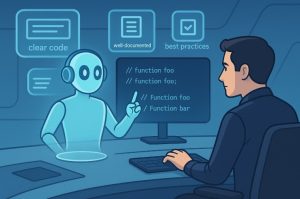
To get the most accurate and useful results from ChatGPT 5, developers need to treat it like a highly capable, but instruction-dependent, coding partner.
While the AI can handle everything from writing basic functions to building full applications, its output quality largely depends on the clarity and detail of the prompts provided.
A disciplined approach ensures the code generated is not only functional but also aligns with project-specific requirements.
This includes breaking large tasks into smaller, precise requests, reviewing generated outputs, and maintaining context throughout the development process.
How to Write Effective Prompts for Coding?
Prompt quality is the single most important factor influencing GPT-5’s output. Developers should:
- Clearly state the programming language, framework, and version.
- Specify the scope of the function or feature.
- Include expected input and output formats.
- Provide examples for reference when applicable.
For example, instead of asking:
“Write a function to process data”
Ask:
“Write a Python 3.10 function using Pandas to filter a CSV file for rows where the status column equals ‘active’ and return the result as a DataFrame.”
The second prompt ensures GPT-5 delivers exactly what’s needed with minimal revisions.
Maintaining Context for Larger Projects
When working on multi-file or multi-step projects, retaining context within the conversation improves consistency. Developers can:
- Keep related tasks in the same chat thread so the AI remembers previous outputs.
- Reference earlier code snippets instead of re-explaining logic.
- Use incremental instructions to build larger applications step-by-step.
Reviewing and Testing AI-Generated Code
Even though GPT-5’s accuracy has improved, human review is still essential. Best practices include:
- Running unit and integration tests immediately after generating code.
- Checking for security vulnerabilities and dependency issues.
- Ensuring code adheres to internal style guides and performance standards.
Using GPT-5 for Collaborative Coding
In team environments, GPT-5 can serve as a shared assistant:
- Generating consistent code templates for multiple developers.
- Producing standardised documentation and API specifications.
- Assisting with onboarding new team members by generating guided examples.
By following these practices, developers can ensure GPT-5 remains a powerful productivity tool that accelerates coding without compromising quality or security.
How Can ChatGPT 5 Integrate with Developer Tools?
Seamless integration into existing workflows makes ChatGPT 5 more valuable to developers. By connecting it to IDEs like Visual Studio Code or JetBrains, developers can receive AI suggestions directly as they type.
It can also be linked with APIs and CI/CD systems to automate testing, deployment, and even documentation updates. For command-line users, ChatGPT 5 integration into CLI tools enables quick script generation without opening an editor.
Integration benefits:
- Faster turnaround from idea to implementation
- Reduced context switching between tools
- Continuous AI support throughout development stages
What Tips Can Maximise Productivity with ChatGPT 5?
To get the most out of GPT-5, developers should integrate it into both planning and execution phases. For instance, they can use it to draft system design documents, generate testing suites, and write initial release notes.
Minimal but effective strategies include:
- Using GPT-5 to generate unit and integration tests alongside code
- Leveraging AI for automated documentation updates
- Creating boilerplate scripts for deployment environments
By combining these tactics, developers can significantly cut down on time spent on repetitive tasks and focus on innovation.
How Secure Is AI-Assisted Coding with ChatGPT 5?

Security is a shared responsibility between the developer and the AI tool. While GPT-5 implements measures to avoid exposing sensitive information, best practices dictate that developers should never input confidential code or keys.
When using AI-generated code, developers should always:
- Review for vulnerabilities before integration
- Apply code scanning tools for automated security checks
- Validate compliance with open-source licensing rules
Maintaining security awareness ensures that the benefits of AI-assisted coding do not come at the expense of application safety.
Conclusion
ChatGPT 5 represents a transformative step in AI-assisted programming. With advanced reasoning, faster response times, and powerful integrations, it offers developers an opportunity to accelerate project timelines without compromising quality.
By applying best practices and maintaining security awareness, developers can harness GPT-5’s capabilities for a more productive and innovative coding experience.
FAQs
How does ChatGPT 5 differ from GPT-4 in coding capabilities?
GPT-5 provides faster, more accurate code generation, improved debugging assistance, and better multi-language support compared to GPT-4.
Can GPT-5 write production-ready code?
Yes, but it is recommended to review and test all AI-generated code before deploying it to production.
Does ChatGPT 5 work offline?
No, GPT-5 requires an internet connection to process and generate outputs.
How can GPT-5 help with learning a new programming language?
It can generate examples, translate code from one language to another, and explain syntax in plain language.
Is GPT-5 suitable for enterprise-level applications?
Yes, with proper integration and testing, GPT-5 can assist in enterprise software development.
What is GPT-5 Pro, and how does it relate to coding?
GPT-5 Pro offers extended reasoning and higher usage limits, making it ideal for developers handling large projects.
How does GPT-5 ensure the security of generated code?
It follows best practices for code safety, but developers must still implement security checks and audits.